Rules that start with task events
Respond to task creation, assignment, status or priority changes, completion, approaching due dates, and overdue work.
Set the rule.
Keep work flowing.
Turn repetitive follow-up into rules. Connect task and change-request events to useful actions, then review what happened in the execution log.
See a rule in action
Scroll through a sample rule, from its trigger to the execution log.
A new task, Launch checklist, is created with High priority in the Website refresh project. A task-created event gives the rule its starting point.
This project-scoped rule checks whether Priority equals High. The sample task matches, so its configured Add Comment action can run.
The rule adds a review reminder to the task. In this sample run, the execution log records a matched condition and one successful action. Other runs can be skipped or fail.
Review triggers, conditions, actions, and rule status in your workspace.
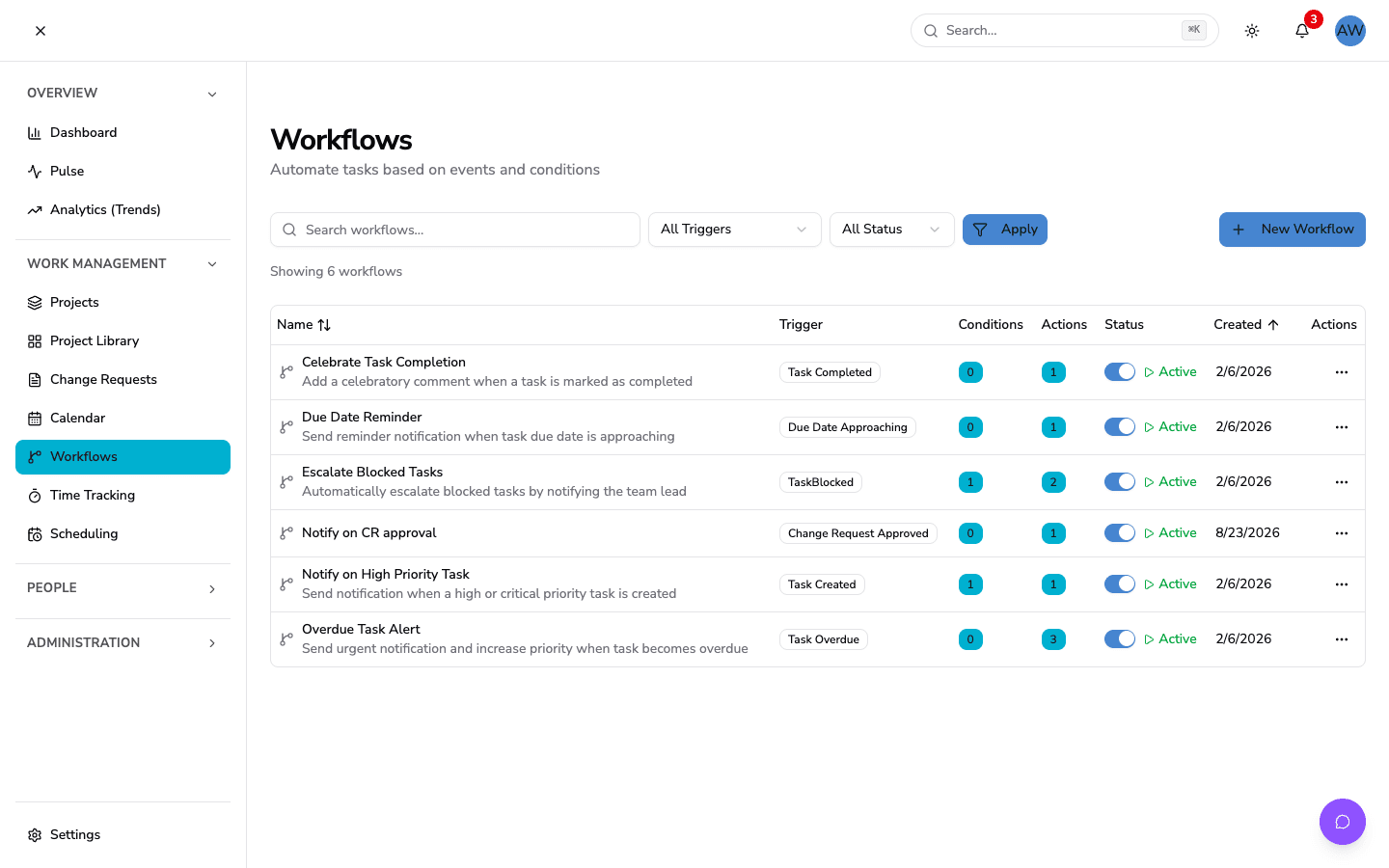
Build on the events and details already connected to your work.
Respond to task creation, assignment, status or priority changes, completion, approaching due dates, and overdue work.
Connect change-request events to notifications, emails, comments, or webhooks.
Narrow a rule to the work that matters. Scope it to one project or apply it across your company.
Send notifications and emails, add comments, or call webhooks. Task rules can also update tasks or create subtasks. Template variables bring event details into messages and comments.
Review whether conditions matched, which actions ran, and any errors recorded along the way.
Set hourly execution limits and enable or disable rules. New rules have self-trigger prevention enabled by default.
Bring rule-driven follow-up into your workspace. Explore the plan that fits your team.
View plans and pricingGive repetitive work a rule, and give your team time to focus.
[Automated] Please review the launch checklist.