Offer bookable availability slots to your company
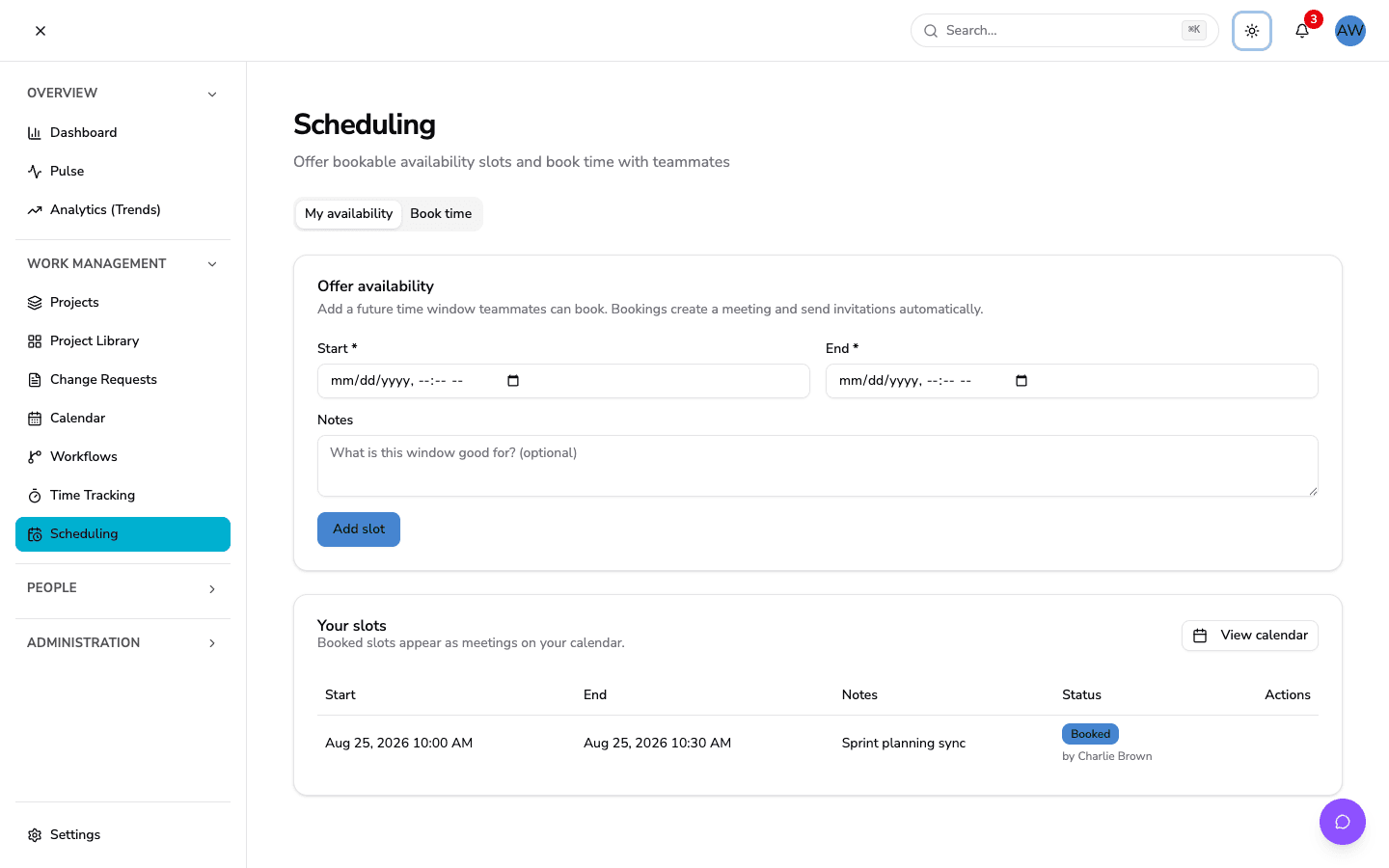
Choose a future start and end time, add a note, and make that window available to colleagues.
A time that works.
A team in sync.
Offer a window of availability and let a colleague book it. The meeting, invitation, and shared calendar come together in one workflow.
See a meeting come together
Scroll from availability to a meeting on the shared calendar.
Alex offers two separate 30-minute windows to the company. A note gives colleagues context before they choose a slot.
Maya books Alex’s 10:00–10:30 window for a design review. The slot is now taken, while the separate 14:00–14:30 window remains available.
Booking creates a meeting with Alex as organizer and Maya as attendee. Maya receives an email invitation, Alex gets an in-app notification, and the meeting appears on the shared calendar.
Offer a window, see its status, and keep track of who booked it.
The details that turn an open window into a meeting.
Choose a future start and end time, add a note, and make that window available to colleagues.
Give the meeting a title and add an optional agenda or meeting link when you book.
The booking creates a meeting invitation for the attendee and an in-app notification for the slot owner.
Once a slot is booked, another colleague cannot claim that same slot for a second meeting.
Create future availability windows that do not overlap your existing slots. Booked slots stay protected while their meeting is linked.
Find the resulting meeting alongside the other dates your company is planning around.
Offer availability and book time with colleagues in your company. Explore the plan that fits your team.
View plans and pricingBring your next conversation into the flow of your work.